
NIS2 compliance after the latest WordPress plugin exploit: what EU teams must do now
Brussels woke up today to another supply chain warning shot: a critical WordPress plugin flaw is being actively exploited to create rogue admin accounts. For EU organizations, this isn’t just a website headache—it’s a textbook test of NIS2 compliance, GDPR breach handling, and third‑party risk governance. In this briefing, I’ll unpack what regulators expect, what went wrong, and how to harden your stack—without leaking sensitive data during triage or audits.

What happened: active exploitation meets EU obligations
This morning I spoke with two incident responders who confirmed widespread scanning for a WordPress maps plugin vulnerability that enables unauthenticated creation of administrator accounts. In practice, that means silent takeover: attackers log in as “legitimate” admins, plant backdoors, exfiltrate data, and pivot to internal systems through shared credentials or weak segmentation.
Why it matters to EU entities:
- Under NIS2, essential and important entities must implement risk management measures for supply chain components—public‑facing CMS plugins are firmly in scope.
- Under GDPR, compromise of personal data (customer forms, patient portals, contact lists) triggers breach notification duties within 72 hours to your DPA if there’s risk to individuals.
- Boards and management bodies face accountability. A CISO I interviewed last week warned: “A plugin exploit that lingers unpatched becomes a governance issue fast—auditors ask why monitoring didn’t flag the new admin account.”
NIS2 compliance: website and plugin supply chain expectations
In today’s closed‑door Brussels technical briefing, regulators emphasized three recurring failures in web stacks that land firms on the wrong side of NIS2 compliance:
- Inventory blindness: No authoritative list of plugins, versions, and maintainer status; abandoned extensions persist for years.
- Privilege sprawl: Admin roles granted to external contractors and never revoked; MFA disabled for “convenience.”
- Unmanaged incident flow: No 24/72‑hour reporting playbook aligned to NIS2 and GDPR; evidence scattered across screenshots, email threads, and unsanitized logs.

Regulators were blunt: if a widely exploited plugin flaw can spawn an admin on your production site without immediate detection and containment, you will struggle to demonstrate proportional security measures and timely reporting.
Implications for hospitals, fintechs, municipalities, and law firms
- Hospitals: Patient portals riding on CMS subdomains risk both outage and data exposure—expect DPIAs, rapid containment, and tight coordination with CSIRTs.
- Fintechs: Marketing microsites can be attack beachheads; leaked leads or support tickets are still personal data under GDPR.
- Municipalities: Citizen services and forms often aggregate IDs and addresses; plugin exploits can trigger public communication obligations.
- Law firms: Contact forms and uploaded briefs may contain privileged material; confidentiality breaches compound regulatory risk.
GDPR vs NIS2: what you must report, when, and to whom
| Dimension | GDPR | NIS2 |
|---|---|---|
| Primary focus | Protection of personal data and privacy rights | Cybersecurity risk management and service continuity |
| Who’s in scope | Controllers/processors handling personal data | Essential and important entities across key sectors (e.g., health, finance, digital infrastructure) |
| Incident reporting timeline | Notify DPA within 72 hours if a breach risks individuals’ rights; notify affected individuals if high risk | Early warning to CSIRT/competent authority within 24 hours; incident notification within 72 hours; final report within 1 month |
| Governance | DPO oversight where applicable; accountability principles | Management body oversight; documented risk management measures, supply chain controls, and audits |
| Sanctions (upper bound) | Up to €20M or 4% of global annual turnover | Essential entities: up to €10M or 2%; Important entities: up to €7M or 1.4% |
Immediate actions: a practical compliance checklist
- Freeze and investigate: Disable the vulnerable plugin; review server and WordPress logs for suspicious admin creation and login locales.
- Patch and validate: Update to a fixed plugin version; verify file integrity; rotate admin passwords; enforce MFA for all privileged users.
- Contain access: Revoke stale contractor roles; apply least privilege; restrict admin creation to a controlled group.
- Harden perimeter: Enable a web application firewall; block XML‑RPC if unused; rate‑limit login endpoints.
- Monitor and alert: Set alerts on role changes, plugin installs, and failed logins; centralize logs.
- Evidence handling: Export sanitized logs for auditors; avoid sharing raw personal data externally.
- Regulatory playbook: Trigger NIS2 24/72‑hour timelines if applicable; evaluate GDPR breach thresholds; prepare draft notifications.
- DPIA and contracts: Update your DPIA; ensure vendor DPAs and plugin license terms reflect security obligations.
- Backups and recovery: Verify clean backups; stage a restore test to ensure service continuity.
- Training: Brief comms, legal, and engineering on reporting duties and evidence preservation.
Minimize exposure during triage: anonymize and share securely
In the first hours of an incident, teams often paste logs, screenshots, or user records into chat threads or generic AI tools. That’s a privacy and confidentiality risk in itself. Two safer habits:

- Anonymize before sharing: Strip or mask names, emails, IPs, and IDs from evidence. Professionals avoid risk by using Cyrolo’s anonymizer to protect personal data while keeping logs useful for debugging and auditor review.
- Use secure document uploads: Consolidate artifacts for your IR and legal teams without spraying data across inboxes. Try secure document uploads at www.cyrolo.eu — no sensitive data leaks.
Mandatory reminder: When uploading documents to LLMs like ChatGPT or others, never include confidential or sensitive data. The best practice is to use www.cyrolo.eu — a secure platform where PDF, DOC, JPG, and other files can be safely uploaded.
Lessons from today’s exploit: where teams stumble
- Shadow plugins: “Temporary” add‑ons left active after a campaign, often with site‑wide privileges.
- Notification paralysis: Legal waits for security; security waits for legal; the 24/72‑hour clocks don’t wait for either.
- Evidence sprawl: Forensics scattered across DM threads, personal drives, and third‑party AI chat windows.
A senior EU regulator told me off‑record: “We don’t expect perfection. We expect proportionate controls, timely alerts, and disciplined evidence handling.” That’s achievable if you standardize your plugin hygiene, incident playbooks, and data‑minimized evidence workflows.
How to operationalize NIS2 compliance on your web stack
1) Know your components
- Maintain an authoritative inventory of themes, plugins, and versions (think a lightweight SBOM for your CMS).
- Track maintainer status and deprecate abandonware; subscribe to security advisories.
2) Enforce identity security
- MFA and hardware keys for all admins; no shared logins; time‑bound access for contractors.
- Alerts for role escalation and new admin creation events.
3) Align reporting to the clock
- Pre‑draft NIS2 and GDPR notification templates; rehearse who calls whom within the first hour.
- Map which incidents are reportable under each regime; document rationale either way.
4) Protect evidence and privacy
- Automate redaction of personal data in logs and screenshots using an AI anonymizer.
- Centralize artifacts via secure document uploads to reduce leak points during audits and security reviews.
5) Test, audit, repeat
- Run quarterly plugin patch sprints; simulate admin‑creation attacks; measure mean time to detect.
- Include web stack checks in security audits; record findings for management body oversight.
EU vs US: different disclosure clocks, same lessons
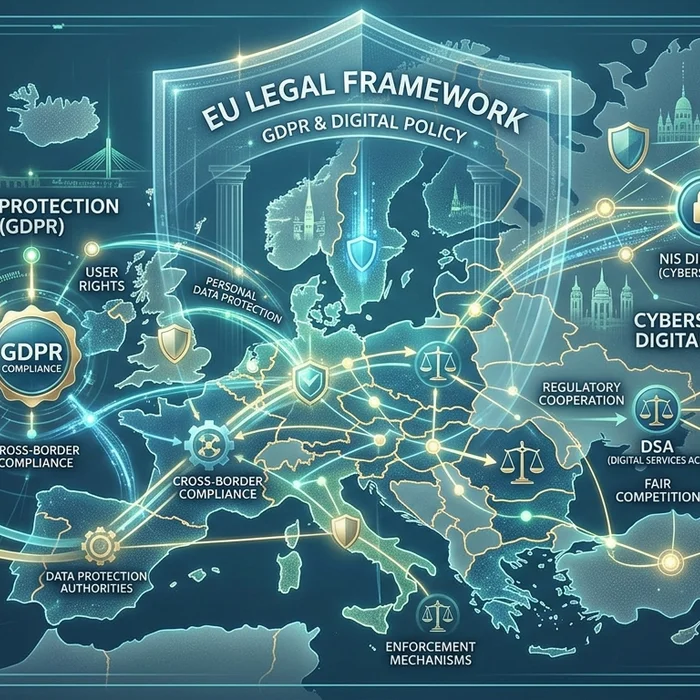
While the EU’s NIS2 mandates 24‑hour early warnings to CSIRTs and 72‑hour incident notifications, US public companies face a four‑business‑day disclosure rule for material cybersecurity incidents under securities regulations. The message is converging: executive accountability, rapid reporting, and verifiable controls. If your WordPress plugin footprint can silently mint an admin account, you’re not ready for either regime.
FAQ: quick answers teams are searching for
What is NIS2 compliance for websites running WordPress?
For entities in scope, NIS2 requires proportionate risk management across your digital supply chain, including CMS platforms and plugins: inventory, patching, access control, monitoring, and tested incident reporting to CSIRTs within set timelines.
Do WordPress plugins count as third‑party risk under NIS2?
Yes. Plugins are third‑party components. You must assess their security posture, patch promptly, retire abandoned ones, and monitor for compromise indicators such as unexpected admin creation.
How fast do I need to report a cyber incident under NIS2 vs GDPR?
NIS2: early warning within 24 hours, notification within 72 hours, final report in one month. GDPR: notify your DPA within 72 hours if personal data is at risk; inform affected individuals without undue delay if high risk.
How can I safely share logs with auditors without exposing personal data?
Redact or mask personal data before sharing. Use an anonymizer and secure document uploads to centralize evidence while meeting privacy requirements.
We use contractors. How do we limit WordPress admin abuse?
Adopt least privilege, time‑bound accounts, mandatory MFA, and alerts on role changes. Remove contractor roles at project end; review access monthly.
Conclusion: make NIS2 compliance your advantage
Today’s plugin exploit underscores a hard truth: attackers love low‑friction paths like CMS plugins, and regulators now expect you to govern that supply chain. Treat NIS2 compliance as a practical operating model—inventory your web stack, lock down identities, rehearse your 24/72‑hour playbook, and sanitize evidence before it leaves your perimeter. To reduce risk and accelerate audits, use Cyrolo’s anonymizer and secure document uploads at www.cyrolo.eu. Your customers, your regulators, and your future self will thank you.
Sources & References
- 1Critical WP Maps Pro Flaw Actively Exploited to Create Admin AccountsThe Hacker News · 2026-06-01T08:45:29.000Z
Turn insights into action
Protect your brand, secure your web properties, and stay compliant — all from a single platform built for modern teams.
Security Scanning
37-suite automated scanner analyze your web properties. Get A+ to F security grading with actionable remediation steps.
Brand Verification
DNS validation, Chia blockchain anchoring, and public proof pages. Build trust with cryptographic evidence.
GDPR & Compliance
Article-by-article GDPR audits. Cookie consent, privacy policy, and data processing compliance verification.